

Does Your Website Work When Users Can’t See Color?
In modern website design, we use color to communicate information, meaning, and emotion. But what if the people viewing your content can’t fully perceive color?
Color blindness affects 1 in 12 men and 1 in 200 women. If you are using color as the only way to communicate information on your website, some users are going to have a poor experience.
Conditions that Affect a Person’s Ability to See Color
A number of medical and situational factors affect the color someone sees when they look at your content.
- Reduced ability or inability to see specific colors (aka “color blindness”): The inability to distinguish between red and green or inability to see green is among the most common.
- Medications: Certain medications can cause colors to appear more blue or yellow. Other medications can damage the eye, reducing the ability to perceive colors.
- Medical conditions: Glaucoma, cataracts, alzheimer’s, multiple sclerosis, and other conditions can alter a person’s ability to perceive colors.
- Sunlight: Bright sunlight can overwhelm the colors on your phone screen, making them appear less intense.
- Computer and Monitor settings: Personal settings on an individual computer or a computer monitor that isn’t calibrated properly can change the appearance of colors.
Load your primary content and CTA colors into WhoCanUse to see how your content may appear for users with different vision conditions.
Key Design and Content Considerations
When designing your site and content, it’s important to think about the role color plays. If that color is not perceivable the way you intend, is your content still visible, understandable, and operable?
Text Contrast
If your content doesn’t have sufficient contrast, there’s a chance some people won’t see it.
Standard Text
WCAG guidelines require at least a 4.5:1 contrast between the text color and background color or image. This minimum level of contrast helps ensure your content is readable, even if someone can’t see it as the color you intend.
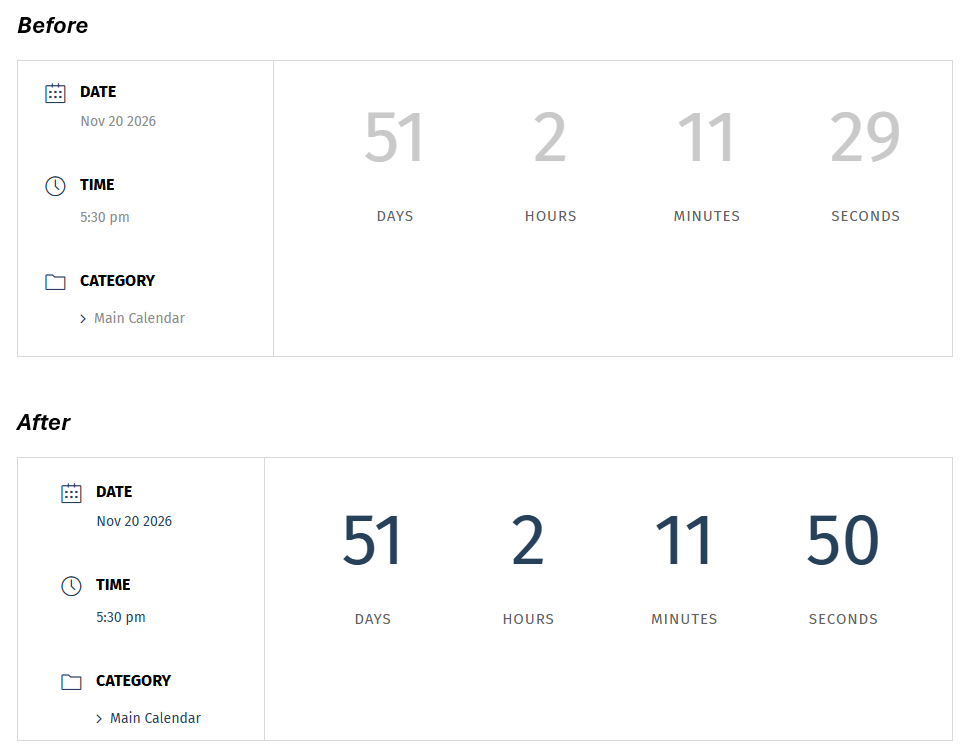
Large Text
Large text (at least 19px and bold or at least 24px not bold) only needs to have a 3:1 contrast with the background. The increased surface area of the text helps it be more perceivable at a lower contrast ratio.

Links
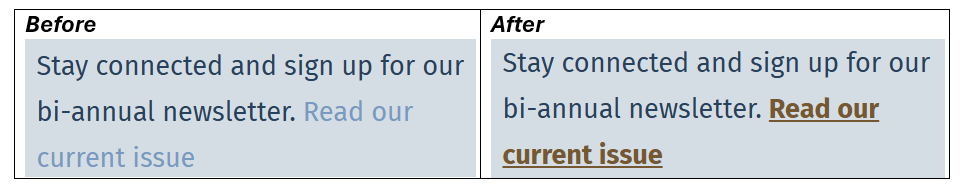
Links need to be distinguishable from regular text by more than just color. If you rely on color alone, the link color needs to have a 3:1 contrast with the surrounding text color. It also still needs to have a 4.5:1 contrast with the background color. The easiest fix is to underline links.
UI Contrast
In addition to text having sufficient contrast with its background, interactive components like form fields and buttons need to have a 3:1 contrast with their surrounding background. If the background color of the field or button does not have enough contrast with the surrounding background, you can add a 2px solid border around the element using a color that does have sufficient contrast. Again, this helps users who can’t fully perceive color to distinguish these components on the page.
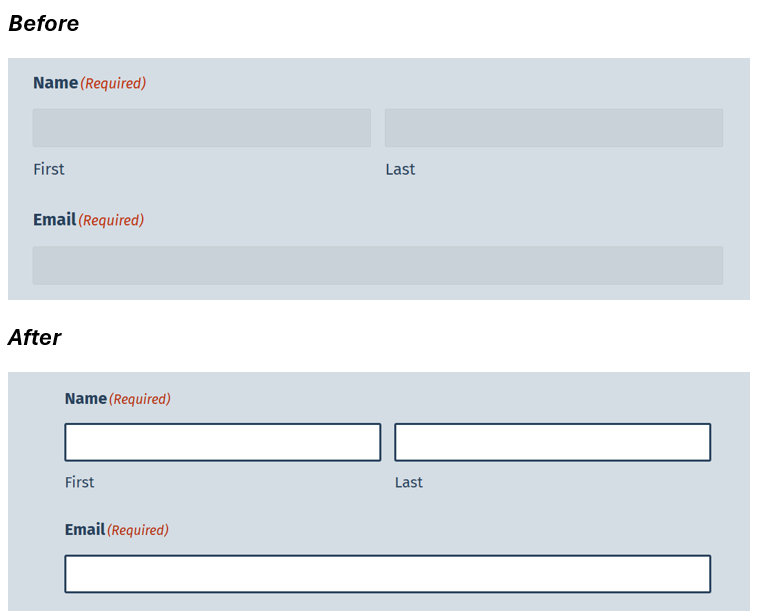
Without this contrast, it will be harder for users to complete forms, close modals, or consent to cookie tracking. If users can’t use your cookie consent banner, you may be violating privacy laws like the General Data Protection Regulation (GDPR) or the California Consumer Privacy Act (CCPA), in addition to accessibility laws like the Americans With Disabilities Act (ADA) and the European Accessibility Act (EAA).
Conveying Meaning and Information
Color should not be used as the only way to communicate information or meaning.
- Use patterns and text labels in addition to color when presenting information in charts and graphs.
- Add clear text labels and icons on buttons and other interactive features to make their purpose clear.
Check Your Content
Follow these best practices related to color when creating your content.
Resources
Conclusion
When designing your content, consider how it might appear for someone who perceives color differently from you. If you strip all of the color away, does the content still make sense?
Ready to Get Started?
If you would like to talk about how Elevage Digital can address your specific needs, provide some details to start the conversation.
AI Disclosure: The feature image was generated by AI. The images within the content are not AI-generated. They are taken from a recent project completed by Elevage Digital. The text was written and approved by the author. AI was used for proofreading to identify grammatical errors.